Immich login won't work: Postgres 28P01 and the stuck setup screen
· Updated 18 September 2026 · SparkBox team
Two very different problems get filed under "Immich login is broken." The first is a database error — Immich refuses to start and the logs mention Postgres 28P01 even though the database looks healthy. The second is confusion: people try to finish Immich's setup from a host dashboard, hit a dead end around a field called IMMICH_DB_PASSWORD, and never reach Immich's real sign-in page. This guide covers both, in plain steps.
The 10-second version: If you see Postgres 28P01, your database still has its old password while your config file has a new one — restarting won't fix it, you must realign the two. If you're just trying to log in for the first time, do it at http://your-server-ip:2283, not in any host dashboard.
First, work out which problem you have
Before changing anything, decide which of these you're actually looking at:
- The Immich container won't start / crashes on boot, and the logs contain
28P01or "password authentication failed for user." That's the database credential mismatch — jump to the section below. - The Immich container is running fine, but you can't figure out where to create your account or sign in. That's the setup-screen confusion — skip to that section.
Postgres is the database engine Immich stores your photo metadata in. 28P01 is Postgres's own error code for "the password you sent is wrong." The .env file is the plain-text configuration file that holds Immich's settings, including the database password.
Problem 1: Immich stuck on Postgres 28P01 with a healthy database
This is the one from issue #31405. It is genuinely confusing because everything looks fine — the database process is up, the disk is intact, nothing is corrupt — yet Immich keeps failing to connect.
Why it happens
Here's the key fact almost nobody knows: Postgres only applies the password you set in your config when it first initializes an empty data directory. The value POSTGRES_PASSWORD (fed from Immich's IMMICH_DB_PASSWORD) is baked into the database cluster the very first time it starts on fresh storage. After that, Postgres never reads that setting again.
So if your .env file ever gets regenerated, restored from a backup, or otherwise changed, you end up with a split:
- The existing Postgres data directory still holds the original password.
- Immich now reads the new password from
.envand sends that.
The two no longer match, Postgres rejects the login with 28P01, and — this is the trap — no restart, no reinstall, and no rebuild fixes it, because the data directory isn't empty anymore. The old password is locked in until you deliberately change one side to match the other.
Gotcha: Do not "fix" this by deleting the Postgres data directory to force a re-initialization. That wipes your entire Immich database. The whole point is that your data is healthy — you only need to realign the password.
The SparkBox one-command fix
If you're on SparkBox, this exact desync now has a dedicated repair command that detects the mismatch and corrects it for you:
sudo sparkbox repair-immich-db-authIt proves the mismatch first (so you know that's really the cause), then aligns the credentials. This is the safe path if you'd rather not run raw SQL. After it finishes, restart Immich and try loading the app again.
The manual fix (any setup)
The idea is simple: make the two passwords match again. You have two directions to choose from — pick whichever password you can recover.
- Find out what your
.envcurrently says. Open your Immich.envfile and note the value ofDB_PASSWORD/IMMICH_DB_PASSWORD. This is the password Immich is trying to use right now. - Decide which side to change.
- Option A — change the database to match the current
.env. Best if the.envvalue is the one you want to keep. You connect to Postgres and run anALTER USER ... WITH PASSWORD ...statement so the database user's password becomes the value in your.env. - Option B — change the
.envback to the old password. Best if you still have the original password (for example, from a backup of the old.env). Put the original value back into.envso Immich once again sends what the database expects.
- Option A — change the database to match the current
- Restart Immich after either change and watch the logs. The 28P01 line should be gone and Immich should connect.
Before you touch anything: back up your Postgres data directory (or take a snapshot). You're only changing a password, not the data, but a snapshot means one mistake can't hurt you.
Problem 2: stuck on setup — the dashboard dead end
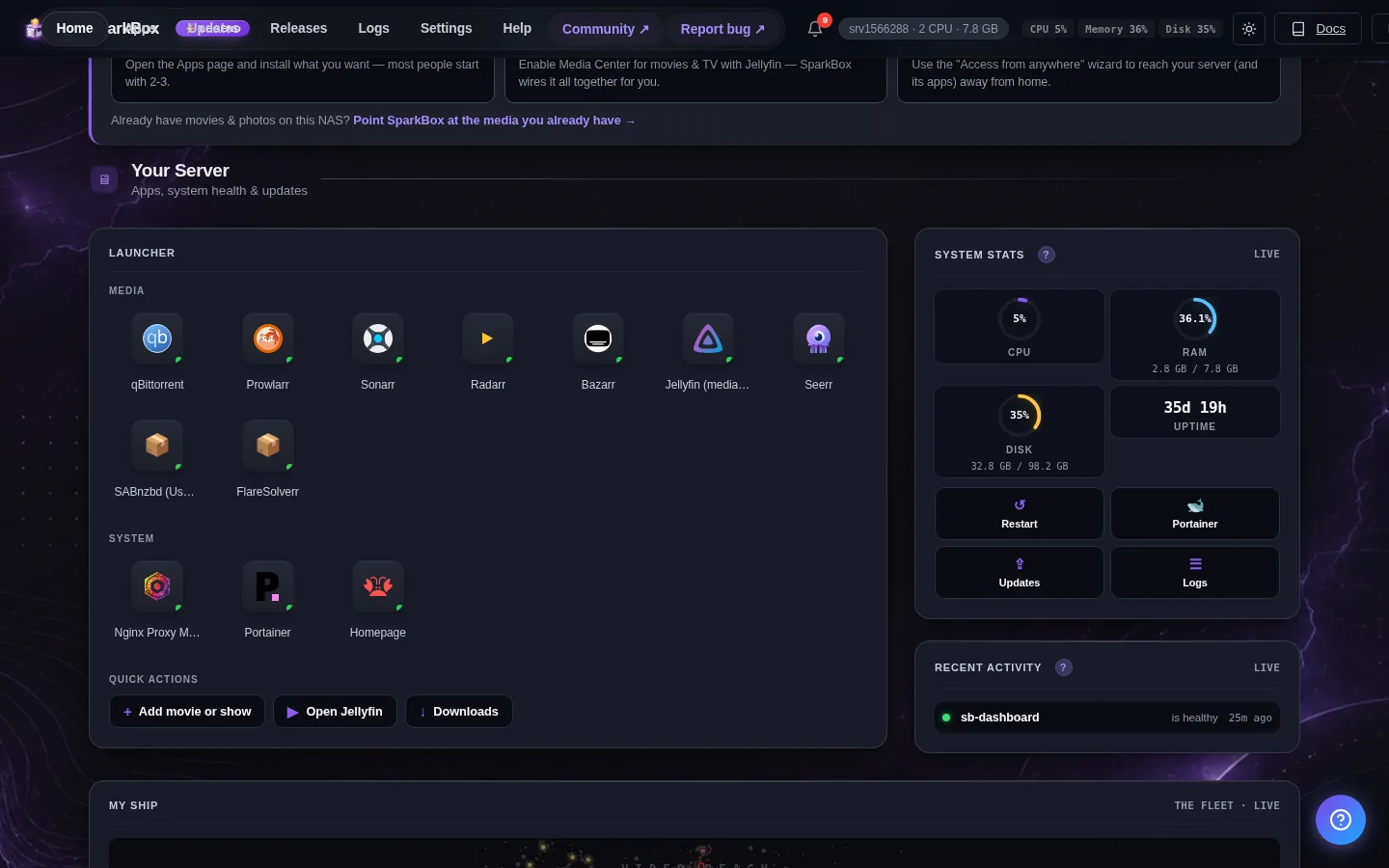
The second complaint isn't a crash at all. Immich is running, but people can't find where to actually create their account. They open a host dashboard, look for a "finish setup" step, and get funneled toward a field asking for IMMICH_DB_PASSWORD. When they try to fill it in and save, it's rejected. So they loop on the same screen, convinced their Immich login is broken.
Why it happens
The dashboard surfaces IMMICH_DB_PASSWORD during the Immich flow, but that value is an internal secret — it's marked non-editable and is deliberately not in the config allowlist. So the dashboard correctly rejects any attempt to set it. The problem is that there's no message telling you what to do instead: nothing says "now open Immich at :2283 to finish." The rejection is right; the guidance is missing.
Important: IMMICH_DB_PASSWORD is not your login password. It's the shared secret between Immich and its database (the same one behind Problem 1). You should never need to type it to sign in.
The fix: go to Immich's own page
- Leave the host dashboard. There is nothing left to configure there for login. Setting the DB password by hand is exactly what causes the 28P01 mismatch above, so stop if a field is prompting you for it.
- Open Immich directly in your browser at its own port:
http://your-server-ip:2283. Replaceyour-server-ipwith the address of your server (or use your domain if you've set one up behind a reverse proxy). - Create the admin account. On a brand-new install, Immich's own page shows a first-run screen to register the initial admin user. Set your email and password here — this is your real Immich login.
- Sign in normally from then on at the same
:2283address.
Note: This is a known rough edge — the dashboard shouldn't surface an internal secret like IMMICH_DB_PASSWORD in the login flow at all, and clearer "open Immich at :2283" guidance is on the way. Until then, treat :2283 as the only place you log in.
Frequently asked
Why does Immich show Postgres error 28P01 when my database is healthy?
28P01 means password authentication failed. Postgres only applies the password from your .env when it first initializes an empty data directory. If your .env was regenerated or restored, the running database still uses the old password, so Immich is sending the wrong one even though the database itself is perfectly healthy.
Where do I actually finish Immich setup and log in?
Immich has its own web page at port 2283, for example http://your-server-ip:2283. That's where you create the first admin account and log in. You don't finish Immich setup from a host dashboard.
Should I set IMMICH_DB_PASSWORD myself in the dashboard?
No. IMMICH_DB_PASSWORD is an internal secret shared between Immich and its database. It isn't meant to be edited or typed during login, and setting it after the database is already initialized is exactly what causes the 28P01 mismatch.
Can I just reinstall Immich to fix the login?
A reinstall or restart won't fix a 28P01 mismatch, because the existing Postgres data directory keeps its original password. You either change the database password back to match your .env, or update your .env to match the database — reinstalling doesn't touch that.
Skip the SQL and the guesswork
SparkBox detects the Immich credential desync and repairs it with a single command, and points you to the right sign-in page instead of a dead-end field.
Questions, or did this not match your box?
Every guide here came from a real problem someone hit. If yours behaves differently, say so — that is how these get corrected, and how the fix gets prioritised.
We answer there rather than in a comment box, because that is where the people who have already solved it are.