Immich Stuck in a Restart Loop After Editing PHOTOS_PATH
· Updated 18 September 2026 · SparkBox team
Immich's server keeps crashing and restarting, over and over, right after someone changed the PHOTOS_PATH setting to a folder it doesn't like. If you already tried a full uninstall and reinstall and it's still stuck, that's expected — the loop usually isn't coming from the container itself, it's coming from data that survived the reinstall.

The 10-second version: This exact crash loop is marked fixed in version 1.6.399. Update first. If you're still stuck after updating, the leftover cause is almost always a database volume or config file that survived your "clean" reinstall, still holding the broken path reference.
What's actually happening
Immich's server process expects its photo storage location — the PHOTOS_PATH setting — to point at a folder with a structure it manages itself. It isn't a plain "put your photos anywhere" setting; Immich creates and expects specific subfolders and permissions underneath it. When PHOTOS_PATH gets edited to point somewhere unsupported (a path that doesn't exist yet, isn't writable, or doesn't match what Immich already has on record), the server fails its startup checks almost immediately.
Whatever is supervising the container — Docker, Docker Compose, or a process manager — sees that failure as a crash and restarts it automatically. The restarted container hits the exact same broken path and crashes again. That's the loop: crash, restart, crash, restart, with no natural end.
Why a full reinstall didn't clear it
This is the part that trips people up. A "clean" uninstall and reinstall typically removes the application container and its image, but it does not necessarily touch:
- The database volume, where Immich (backed by Postgres) stores its library records and path references
- Any environment file (like a
.env) that sits outside the container and gets read again on the next install - Bind-mounted host folders that were left in place
Immich doesn't just read PHOTOS_PATH fresh on every boot and trust it blindly — it cross-checks against what it already has recorded for the library. If the database volume survives your reinstall, the new container comes up, reads the same stored reference to the broken path, and fails the same way it did before. From the outside it looks like "I reinstalled it and it's still broken," but really, the one thing that mattered — the database — was never removed.
Gotcha: "Uninstall and reinstall" in most self-hosting setups only removes the running container and image. Data volumes are usually kept on purpose, so you don't lose your photos by accident. That's normally a good thing — except when the volume itself is what's holding the broken state.
Fix 1: Update to the version that patches this
This specific crash loop is marked fixed as of version 1.6.399. If you're running an older build and hit this exact combination of symptoms — a PHOTOS_PATH edit followed by a permanent restart loop — updating is the first and simplest thing to try.
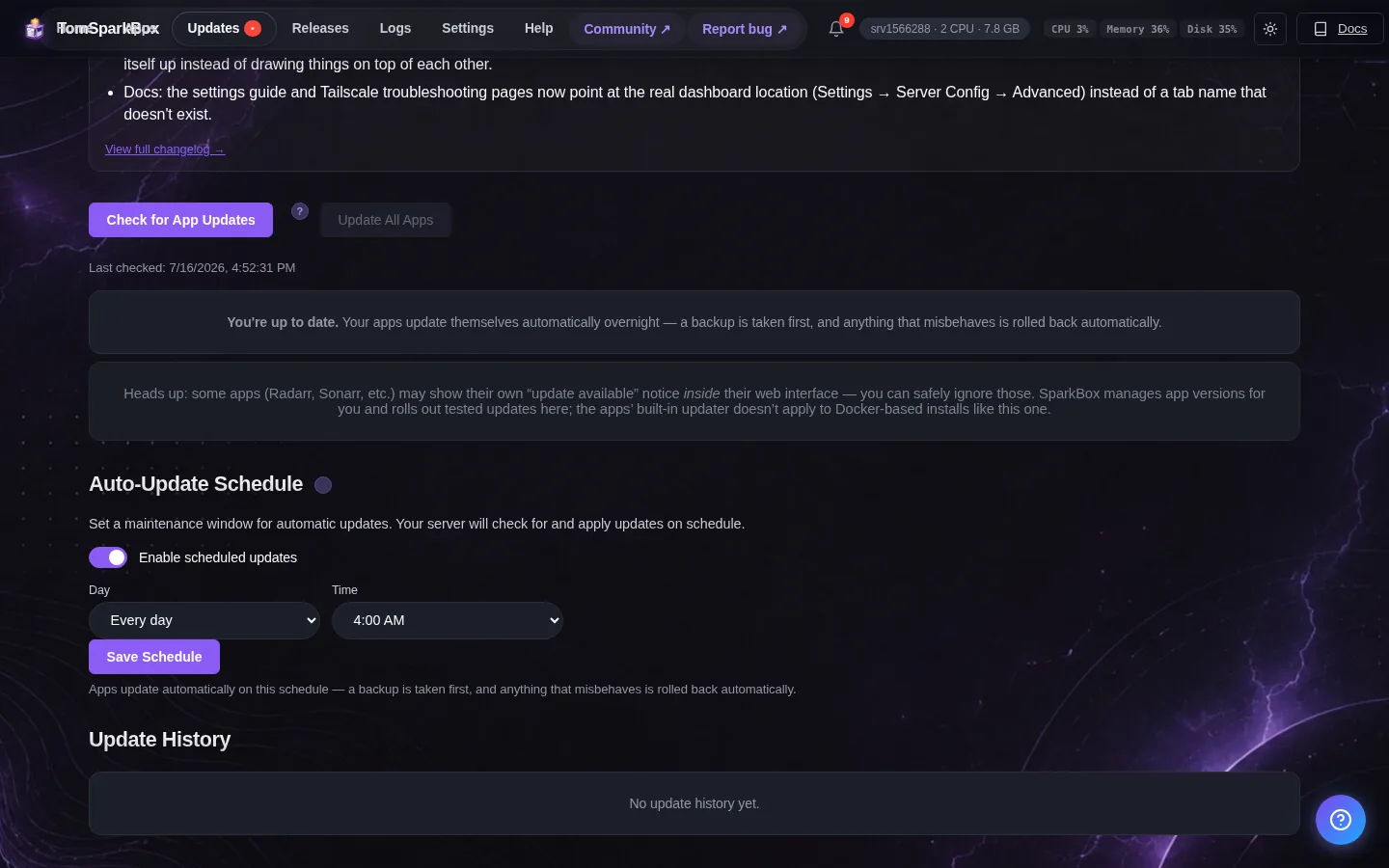
- Check what version you're currently running (your app's dashboard or update panel, or
docker ps/docker inspecton the Immich server container if you're managing it directly with Docker). - Update to 1.6.399 or later using whatever update path your setup normally uses — your management panel's update button, or pulling the newer image tag if you run plain Docker Compose.
- Restart the stack and watch the logs for a minute or two to confirm the server actually stays up instead of cycling.
We don't have the exact internal changelog for what changed under the hood in that release — the resolution wasn't itemized separately from the fix report — but the practical result is that this loop stopped recurring after updating past that version.
Fix 2: If you're already updated and still stuck
If you're on 1.6.399 or newer and the loop is still happening, the leftover bad state from before the update is almost certainly still sitting in your database volume or an external config file. Updating the app doesn't retroactively repair data that's already pointing at a broken path — it just stops new instances of the bug from being created.
- Stop the stack completely before touching anything, so nothing is actively restarting while you work:
docker compose down - Check your environment file for the app (commonly
.envin the Immich project folder) and confirm PHOTOS_PATH is set back to a path that existed and worked before the unsupported edit — not the new location that triggered the loop. - Confirm that path actually exists on disk and is writable by the user or container running Immich. A path that's missing or read-only will fail the same startup check even with the right value written in config.
- If you have a backup of the database volume from before the edit, restoring it is the cleanest way to clear the stale path reference. If you don't, and you're comfortable losing library metadata, removing the database volume and letting Immich rebuild it against the working PHOTOS_PATH is the more drastic but reliable option — only do this if your actual photo files are safe on disk, since it's the index/database being reset, not your files.
- Bring the stack back up and check the logs immediately:
docker compose up -d
docker logs -f immich_server
Gotcha: Back up the database volume before removing or resetting anything, even if you think it's disposable. Immich's database holds face recognition data, albums, sharing links, and other metadata that isn't stored as plain files — losing it means rebuilding that indexing from scratch.
Preventing this next time
PHOTOS_PATH (and equivalent storage-location settings in other self-hosted apps) generally aren't meant to be edited casually after setup. If you need to move where photos are stored, look for the app's documented migration process rather than editing the raw path and restarting — that's what triggers the mismatch between what's on disk and what the database expects.
Frequently asked
Why does editing PHOTOS_PATH in Immich cause a restart loop?
Immich expects its storage location to keep a specific internal folder structure it manages itself. Pointing it at an unsupported or unexpected path fails the server's startup checks, and the container gets restarted automatically each time it crashes — an endless loop with no natural exit.
Why didn't a clean reinstall fix my Immich restart loop?
A reinstall typically only removes the container and image, not the database volume or external config files. Since Immich's path reference lives in its database, that state survives the reinstall and causes the exact same crash on the fresh container.
Does upgrading Immich fix the PHOTOS_PATH restart loop?
This exact bug is marked fixed in version 1.6.399. Updating stops new occurrences, but if your database already has the broken path recorded from before the update, you'll likely still need to restore a backup or reset that volume to clear it fully.
What is PHOTOS_PATH in Immich?
It's the setting that tells the Immich server where on disk to store and read your uploaded library. It isn't a general-purpose folder picker — Immich expects a specific structure underneath it, which is why arbitrary edits can break it.
Skip the database surgery entirely
SparkBox handles storage paths and app data for you, so a stray settings edit doesn't leave your photo server stuck cycling in the background.
Questions, or did this not match your box?
Every guide here came from a real problem someone hit. If yours behaves differently, say so — that is how these get corrected, and how the fix gets prioritised.
We answer there rather than in a comment box, because that is where the people who have already solved it are.