It looks before it talks.
It checks which apps are running, reads their logs, measures your disk and knows your SparkBox version. The answer is about your box, not a generic one.
Most AI chats can only guess from what you paste into them. Tom AI lives in your SparkBox dashboard. Before it answers, it checks which apps are up, reads their logs and measures your disk. When there's a supported fix, it shows you exactly what it will do and waits for you to press Run it. Then it checks that the fix worked.
Passwords, keys and tokens are stripped on your box before anything is sent to the cloud AI that writes the replies. What Tom AI sees
Jellyfin is running, but its web page stopped answering after last night's library scan. A restart clears it, and nothing in your library changes.
Done. Jellyfin answers again. Reopen it on the TV and you're back where you left off.
Okay, I left it alone. Nothing ran. If Jellyfin still won't load, ask again and I'll take another look.
The real Tom AI panel's words and steps, replayed as an example. On your box the answer comes from your own apps and logs. See the real screens ↓
Tom AI can read your box and press your dashboard's own buttons. It never does anything behind your back: every change waits for you.
It checks which apps are running, reads their logs, measures your disk and knows your SparkBox version. The answer is about your box, not a generic one.
A fix shows up as a card that says exactly what it will do. Nothing runs until you press Run it. Before it asks, it re-checks that the fix still applies. Afterwards it reads the result back and tells you whether it worked.
Back up now, install from the App Store, move your VPN, update an app: Tom AI runs the same code as the dashboard's own button. A reset password goes to Settings → Passwords, never into the chat.
Watch picks come only from titles you already have. Every number in its weekly note is measured on your box. When it can't fix something, it says so.
Type it the way you'd say it. Anything that changes your box asks you first. Deleting or restoring also asks for your dashboard password.
Restart an app that is down, fix a Portainer or database login, refresh the VPN server list, give an app that keeps running out of memory more room, or clean up leftover downloads. Then it re-checks your apps.
What's filling the disk, what was watched this week, whether anything can be reached from the internet, and what changed recently. It reads your box, and it can clean up only the safe things.
“Something like the film we watched last night?” It suggests only titles already in your library. Kids' picks are limited to an official rating of PG or TV-PG and below, and unrated titles are left out. Want something else? It can add a request in your Seerr, which searches only the sources you have set up, after you confirm.
It creates the account with Jellyfin's own parental control and hides unrated titles. If the limit doesn't stick, the new account is removed again. The password appears on a private card, not in the chat.
It flips the same switch as Settings → Server Config → Media, then checks that the change took. If it didn't, it puts the old setting back.
It matches what you want to an app in the SparkBox catalog, checks you have room and nothing conflicts, and installs it the App Store's own way.
It installs Immich, checks you have the space, and walks you through Google Takeout and an upload that keeps your dates and albums. Google only lets you start the export yourself, so that step is yours.
Media added this week, how full the disk is (and, after a few days of measuring, when it will be full at this rate), updates waiting, your last backup, the VPN, and anything that failed. It can include up to three one-click actions, and each one asks first.
These are real screens from the Version 3 dashboard on a phone.
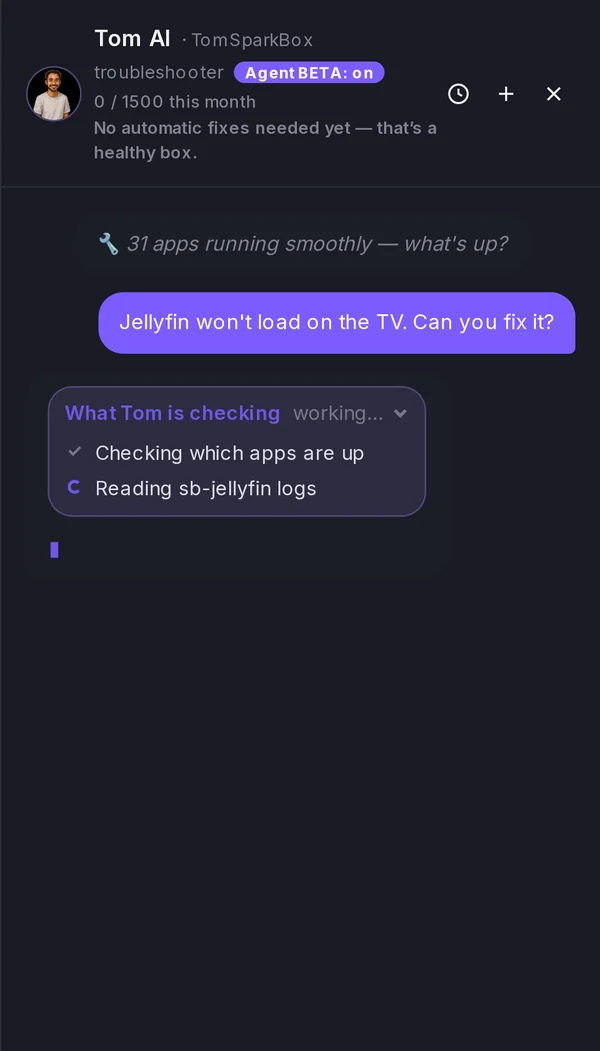
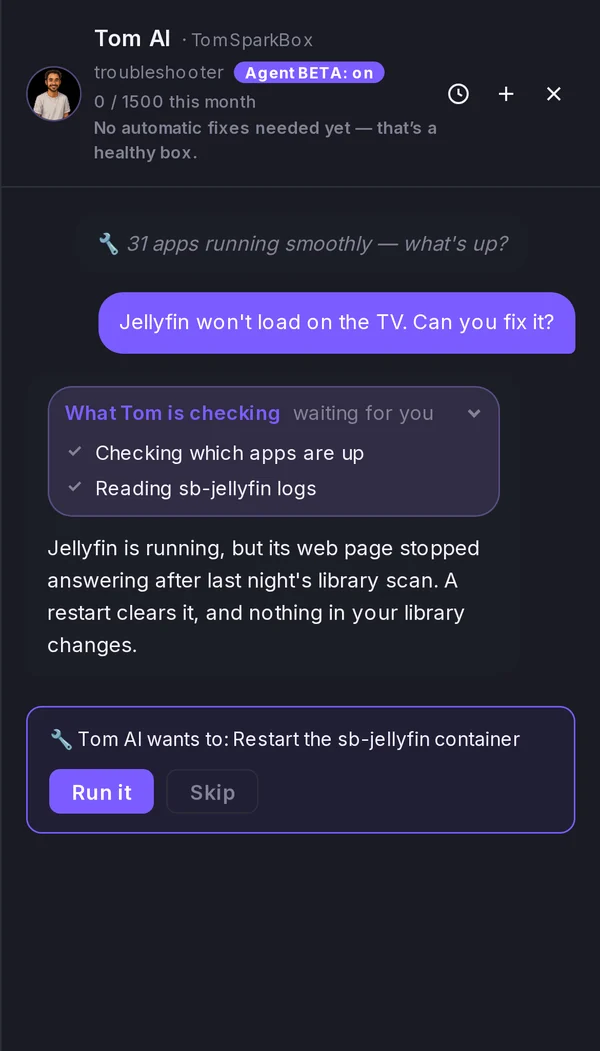
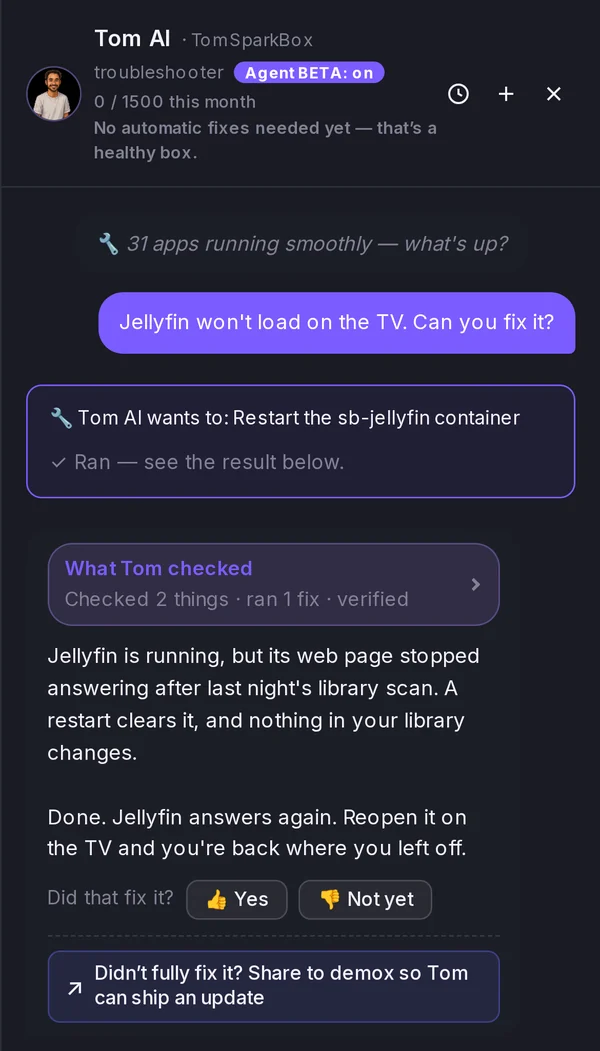
Captured on a demo box running the real dashboard, with a scripted example conversation. On your box, Tom AI reads your own apps and logs, so its answers are your own.
“While helping find errors and fix them, it also teaches me things along the way. I had an occasion where Tom AI couldn’t fix an issue for me — but with what it was asking me, I was able to fix it myself (win, win). … being a backer has been 100% worth it.”
Three questions from real boxes and the exact answers Tom AI gave on our test bench. It reads the box first, names the actual cause and gives one fix.
Recorded from SparkBox's own test bench. Nothing is sent anywhere from this page.
1,500 messages a month, plus a daily cap that stops runaway use. The dashboard shows what you have left.
It's built for SparkBox and your box, not a general chatbot.
It can be wrong. When it can't fix something, it says so, and your private ticket goes to the front of the support queue.
It only runs the fixes SparkBox supports, and every one waits for your Run it. You can switch hands-on mode off in Settings.
Chats are sanitized on your box first. The credential-free version is kept up to 90 days to fix bugs and is never sold. Details
Free boxes may be offered a Tom AI trial to try it first. The dashboard shows what's left.
One-time payment · never renews · 30-day refund
Every app, the dashboard and updates are free, and they stay free. One developer builds SparkBox full-time, from real customer reports. Legend is how people pay for that, and every purchase funds the pace.
Some backed it before they had even installed SparkBox. They wanted it to exist.
Back SparkBox — $49 once“I backed the project before I ever had plan to install it, I just wanted it to succeed.”
“Wow, the response and fix times on this project are insane! … your tool just worked flawless out of the box!”
“Using Tom-AI and SparkBox I was up and running in an hour with a clean organized WORKING system. thank you for making your site free and your AI assistance a 1-time payment.”
Live from the changelog, the public install counter, the supporter counter and the d/sparkbox numbers on the homepage. Nothing here is estimated. Read 250+ reviews in their own words →
SparkBox installs and wires your apps in one command. Here's the whole thing in 92 seconds.
Free boxes get the Version 3 dashboard too. Legend turns it into the Legend home: an atmosphere of your choice, saved layouts, extra cards, and Tom AI one click away.
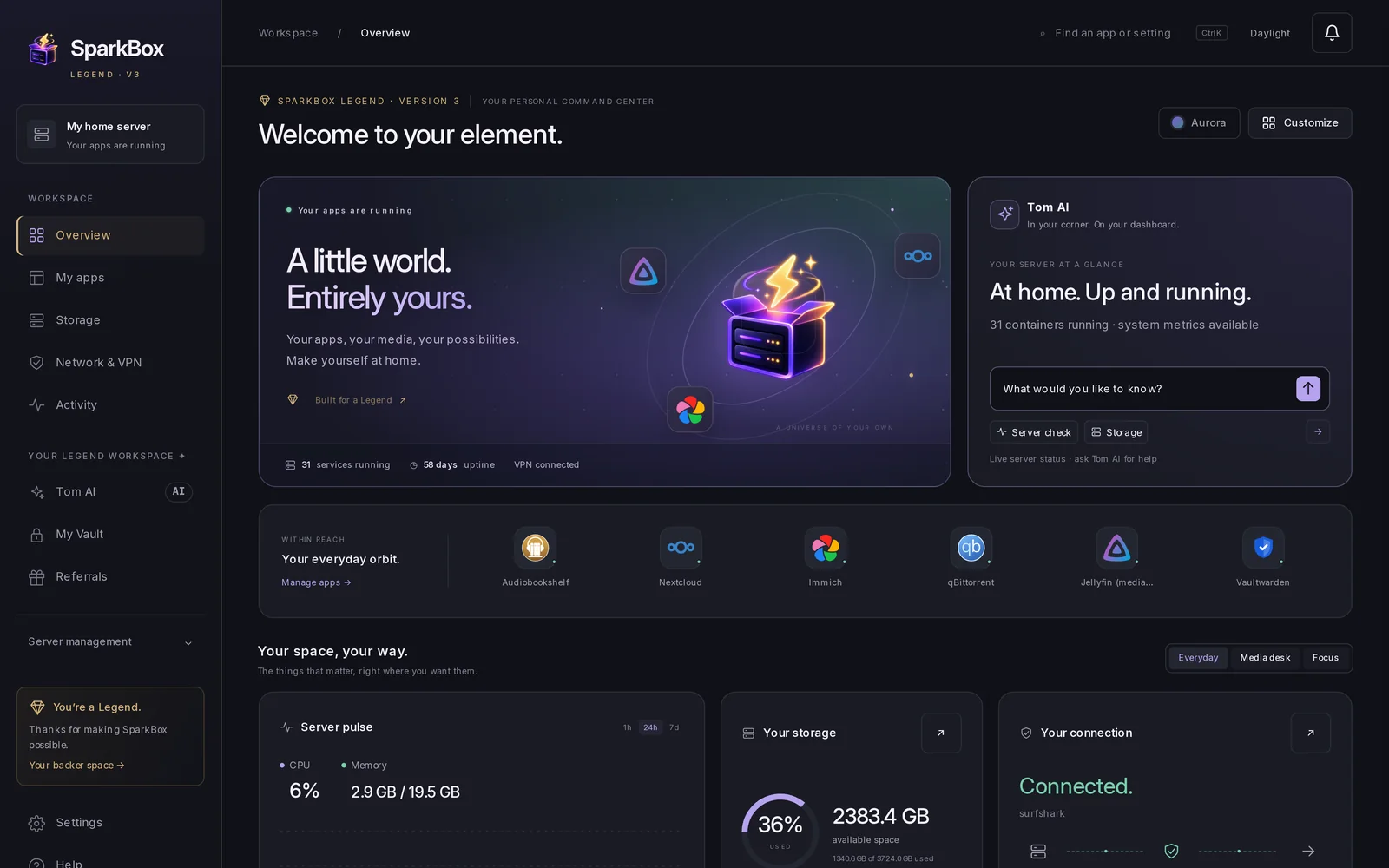
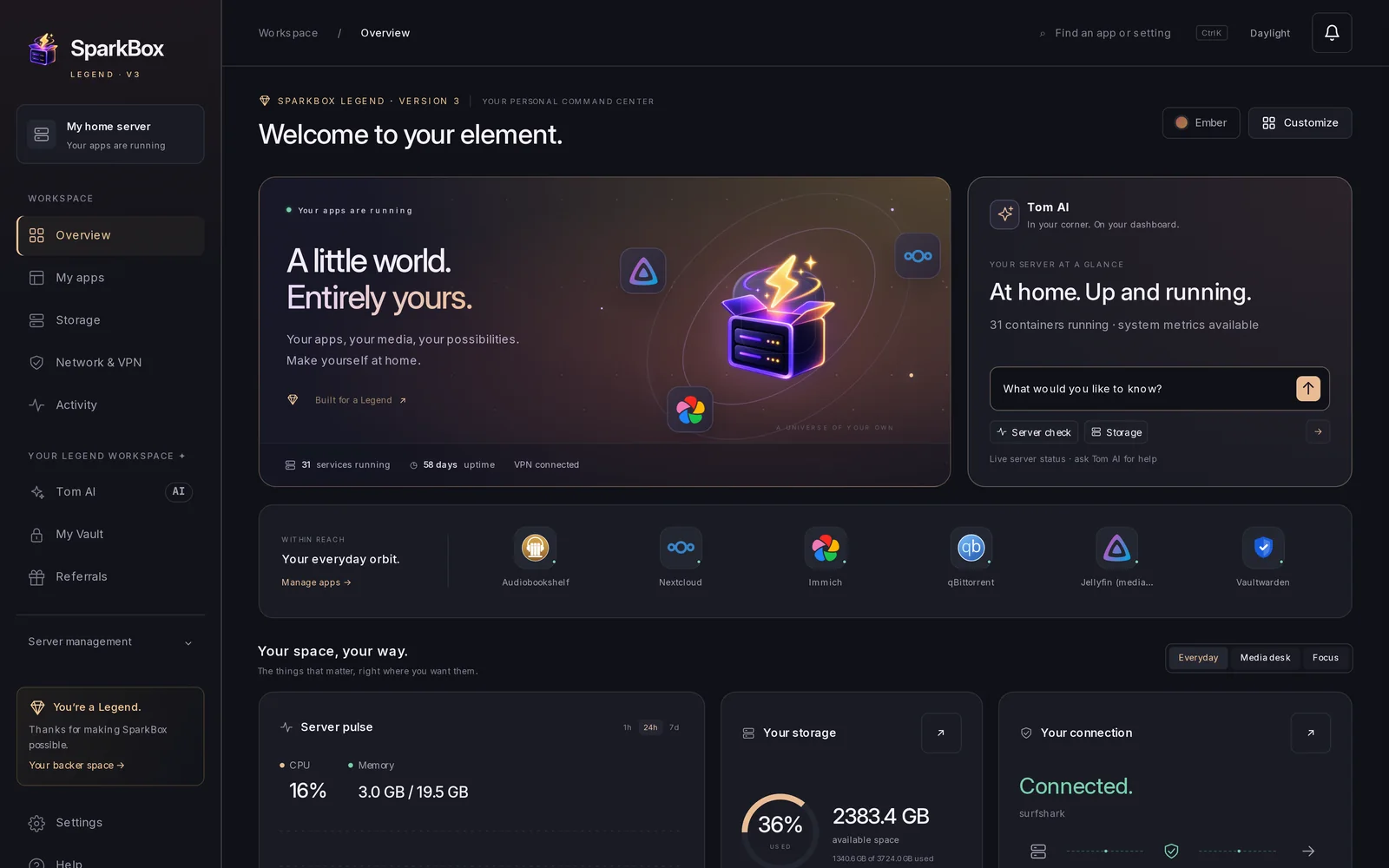
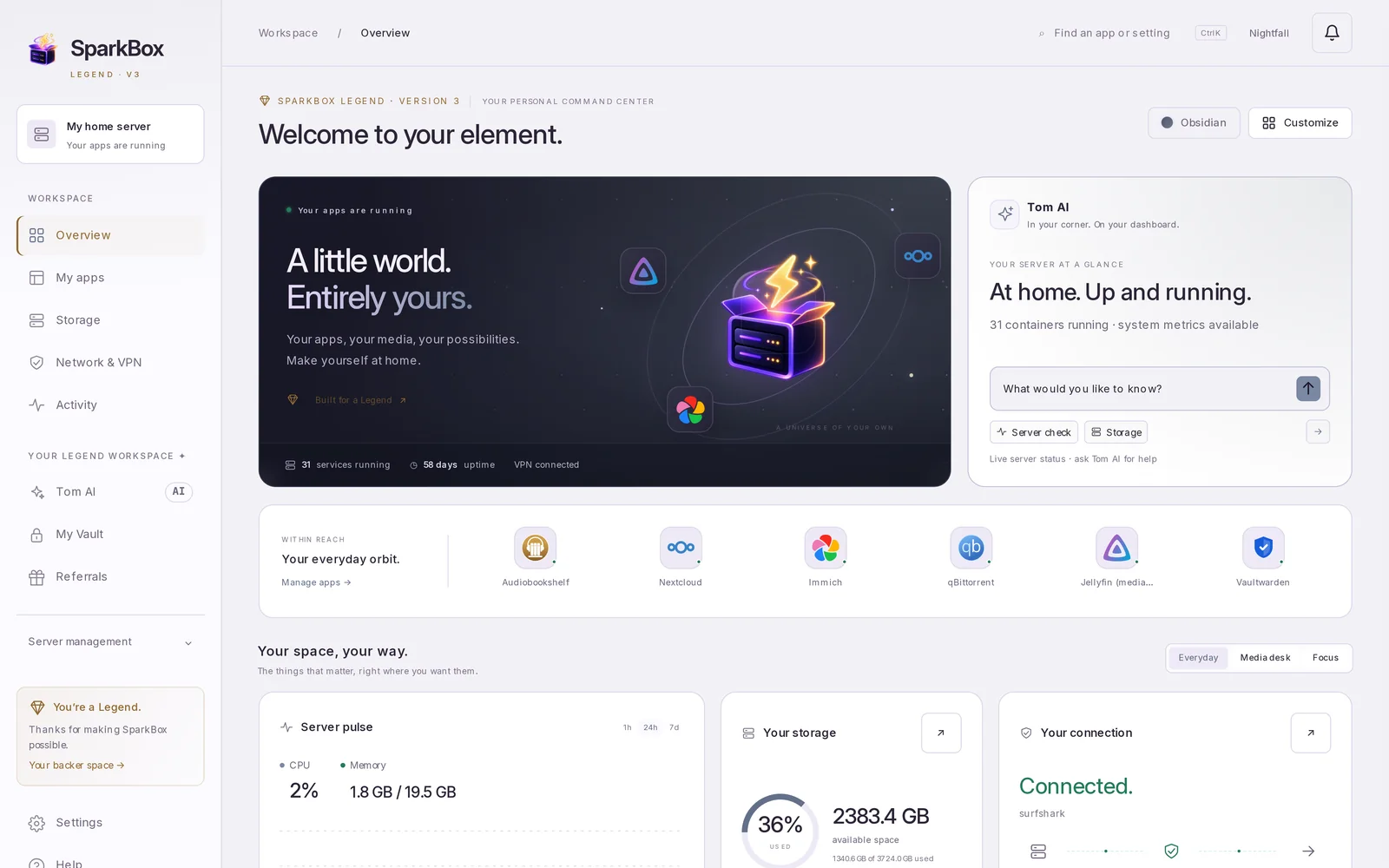
Free boxes keep everything they have now: every app, the dashboard, automatic updates with rollback, and community support on d/sparkbox. Nothing is taken away to push people to Legend. Legend adds Tom AI and the help layer on top.
Legend is $49, one time. It covers every future SparkBox update and every app Tom builds into SparkBox. You are never charged again for it.
For people who want everything Tom makes. You get everything in Legend, plus lifetime access to his other apps.
Only hosted Hearth ever renews, and only if you choose to keep it. Ultimate is a product purchase, not an investment.
Checkout is handled by Stripe. The seller name you'll see is Cloakpoint Media LLC, the company that sells SparkBox. Right after you pay, your licence key is emailed to the address you used at checkout.
In your SparkBox dashboard, open Settings → License and paste the key. Tom AI and the other Legend features switch on straight away. You don't need to reinstall anything.
Check your spam or promotions folder first, because that's where most missing keys turn up. You can have the key sent again at tomsparkbox.com/recover. If it still doesn't come, open a private ticket with your checkout email and we'll sort it out.
Demox (demox.world) is the community forum where SparkBox support lives. The username is used for one thing only: putting the gold Legend badge on your forum profile. Your licence key does not depend on it. The key goes to your checkout email either way.
No forum account? You can make a free one in under a minute, or type the name you plan to use. If the name doesn't match an account, the payment and your key still go through, and support can link the badge to your account later.
No. Legend is a one-time $49 payment and is never charged again. Your Tom AI allowance of 1,500 messages resets every month for as long as Tom AI exists, at no extra cost. Any hosted extra we add later would be a separate purchase you opt into. It would never be a charge on what you already bought.
It depends on where you live. Stripe works out sales tax or VAT from your billing address, so some buyers see tax added on top of $49. You see the final total at checkout before you pay.
You get a full refund if you ask within 30 days, however much you've used it. Use the refund page with your checkout email. The money goes back to the card or account you paid with, and the paid licence ends. Your apps and files stay exactly where they are.
Only what SparkBox supports: restarting apps, fixing known logins, refreshing the VPN server list, backups and restores, installing catalog apps, app and SparkBox updates, Jellyfin invites and accounts, moving your VPN, requests in your Seerr, and the 1080p/4K switch. Every change shows a card first and waits for you to press Run it. Deleting or restoring also asks for your dashboard password, and a restore takes a fresh backup first.
You can turn hands-on mode off in Settings, and Tom AI will only explain.
Up to 1,500 messages a month, plus a daily cap that stops runaway use. The dashboard always shows what you have left. Tom AI is built for SparkBox and your box: why an app won't start, what an error means, what's filling your disk, what to watch tonight. It isn't a general chatbot.
It can be wrong. When it can't fix something, it says so, and you can open a private ticket.
Tom AI reads diagnostics on your box (app status, logs, disk use, your settings) and uses cloud AI to write replies. Before anything leaves your box, a sanitizer strips API keys, passwords, tokens and key blocks. Please don't paste real names, banking details or 2FA codes.
The sanitized, credential-free version of each conversation is kept on our servers for up to 90 days, without your licence key, and used to find bugs and ship fixes. Titles, indexer names, addresses, host and user names are replaced with labels before anything reaches the AI provider or is stored: on SparkBox 1.6.790 and later your box does this before the request leaves it, and on earlier releases our server does it in memory as the request arrives. Your box shows you the real names. It is never sold. Data sharing and privacy details.
No. SparkBox is free forever: every app, every module and the dashboard. If your box shows a Tom AI trial, you can try it before you buy. The dashboard shows what's left.
It can. Photo backup, a password manager, cloud files, notes and a media server for what you own usually bill you every month, and on SparkBox they run on a box you already have. Whether you actually save depends on what you cancel. The hardware, the electricity and a little of your time are on you. SparkBox is for media and data you have the right to use; see lawful use.
No. Ultimate is a product purchase that supports Tom's work and gets you the apps listed above. It includes no equity, profit-sharing or ownership, and no promise of a financial return.
No. Founding Backers keep everything they bought, including their supporter ring.
Know someone who should run SparkBox? Share your link and earn $10 each time someone goes Legend through it. They get $10 off. It's free to join, and you don't need to buy anything.