Why the AI-generated docker-compose for your *arr stack doesn't work
· Updated 18 September 2026 · SparkBox team
Ask any AI for a docker-compose that runs Sonarr, Radarr, qBittorrent and a VPN, and you will have one in about fifteen seconds. It will look right. It will probably be right. And several hours later you may still not have a working media server — not because the AI was wrong, but because the compose file was never the hard part.
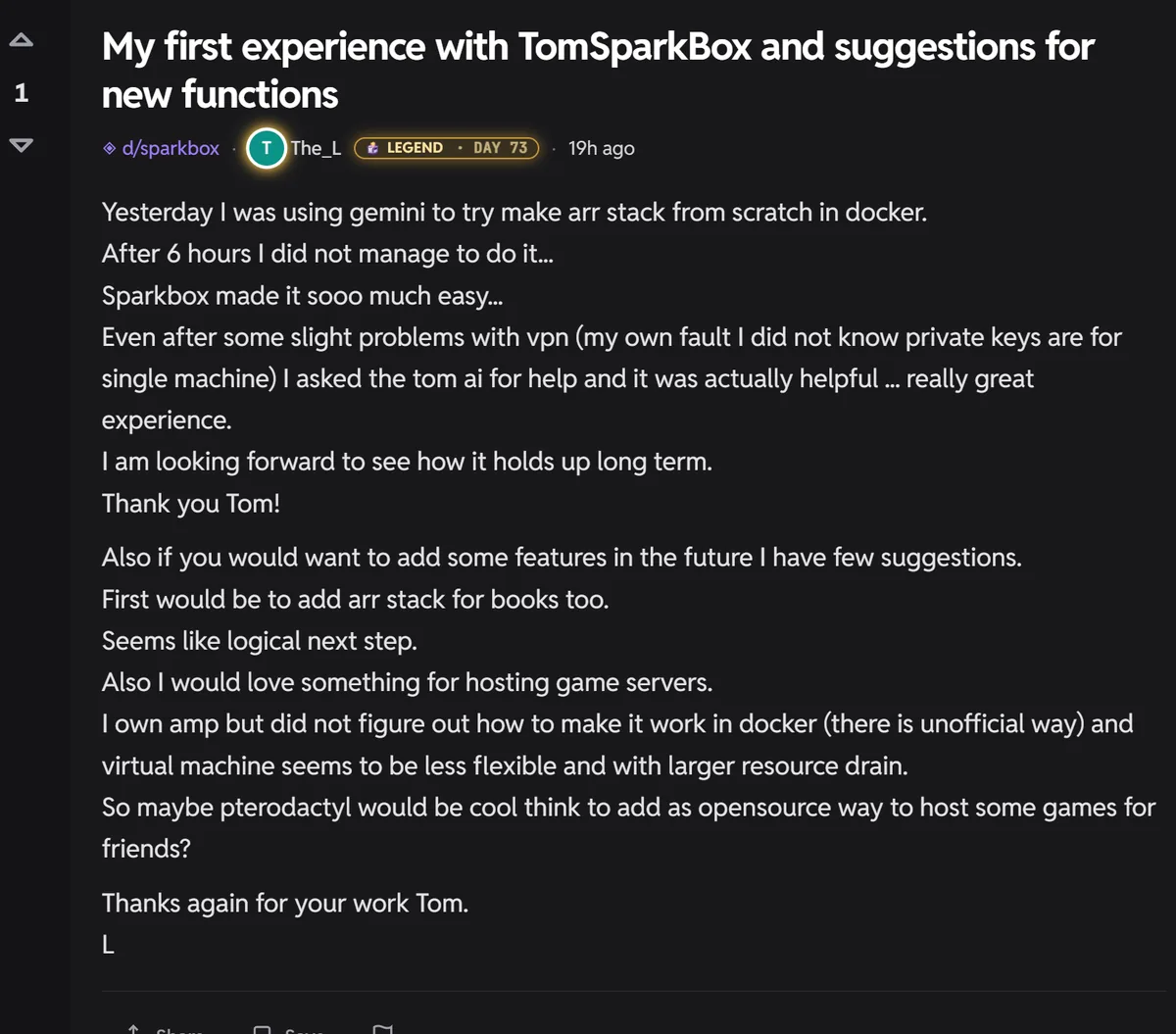
This comes up often enough to be worth writing down properly. Someone spends an evening going back and forth with a chatbot, gets a stack that starts, and then hits a wall where every container says it's running and nothing actually happens. The instinct is that the AI gave bad output. Usually it didn't.
The honest version is this: a compose file describes what you want. It cannot describe your machine. Almost everything that goes wrong in self-hosting lives in that gap.
The part the prompt can answer
Which images to use. Which ports to expose. Which folders to mount. How to route the download client through the VPN container. This is genuinely the well-documented part, and modern AI is good at it — it has read the same wikis you would have.
If you are learning, doing this by hand is time well spent. You will understand your own system afterwards in a way you never will by installing something. That is a real argument and this article is not trying to talk you out of it.
The part it can't
Here is a small sample of things that are true about your specific box and cannot be known by anything writing a generic compose file. None of these are exotic. All of them are ordinary Tuesday problems.
1. Your GPU has a different group number than the guide assumed
To let a container use your GPU for transcoding, it has to join the group that owns the device. That group has a number. On one NAS operating system it's 105. On Debian it's often something else entirely. On Ubuntu, different again.
Get it wrong and nothing announces itself. The container starts. The GPU is visibly there. And every video that needs converting fails with a message along the lines of "playback failed due to a fatal player error" — which tells you nothing, and sends most people hunting through their media library for a corrupt file that doesn't exist.
The compose file the AI wrote is not wrong. It just hardcoded a number that happens not to be yours.
2. Your containers report "running" before they can do anything
This one is worth internalising because it explains an enormous share of self-hosting confusion.
Docker considers a container "running" the moment the process starts — not the moment the application inside is ready to answer. For something small that gap is a second. For anything with a real database behind it, that gap can be minutes.
So for several minutes after every reboot, every status light you have is green, your dashboard says everything is fine, and nothing works. If you're refreshing a page during that window, you will conclude your setup is broken and start changing things — which is how a working install gets taken apart.
"Everything is green but it isn't downloading" is one of the most common things people report. Very often nothing was ever broken; they were looking during the warm-up.
3. Your VPN is connected and still blocking you
Most VPN providers only allow file sharing on some of their servers. Connect to one of the others and everything looks perfect — the tunnel is up, your IP has changed, the connection test passes, every indicator is green — and downloads simply never move.
There is no line you can add to a compose file that catches this. You have to know the failure mode exists before you can even recognise it.
4. Your apps came with the password already printed in the manual
Plenty of self-hosted apps ship with a default login, or with no login at all until you create one. That's normal and fine if you know which of your apps do it, and you change them before anything is reachable beyond your own network.
A compose file will not tell you which of the fifteen things you just started has an open front door. It also won't warn you when you later publish one of them to the internet.
5. Your backup is running, and may not be worth anything
This is the one that genuinely costs people their data, so it's worth being blunt.
Most of these apps store their state in a small database file. If you copy that file while the app is midway through writing to it, you get a copy that is subtly damaged. It will usually restore looking completely fine. It may not fall over for weeks — long after the good backup has been rotated away.
A backup job that copies folders on a schedule will report success every single night while quietly producing restores that don't work. Doing this properly means pausing each database, taking a clean copy, and then restoring that copy rather than the raw file. Nobody's first compose file does this, and nothing tells you it's missing.
6. Everything above changes again on the next machine
The group number is different. The folder permissions are different. The NAS firmware puts things elsewhere. What you learned fixing your box is partly transferable and partly not, which is why forum answers so often don't work for the person asking.
So what actually takes the time?
Not writing the stack. Writing the stack is an evening.
The time goes into the long, unglamorous tail: discovering that a status light lies, that a permission differs by distribution, that a backup needs to pause a database, that an app quietly shipped with a default password. Each one is individually small. Each one is invisible until it bites you. And you generally only learn them by watching the same setup fail in a hundred slightly different ways on a hundred slightly different machines.
That is the actual product of any tool like this — not the compose file, which you could genuinely get from a prompt in fifteen seconds. It's the accumulated list of things that go wrong on real hardware, and the handling for each one.
Where AI genuinely does help
To be fair to the tools: once something is running, an assistant that can see your actual box — your logs, your container states, your configuration — is very good at telling you what's wrong. That's a different job from generating a file blind, and it's the one AI is well suited to. Diagnosing beats guessing.
The gap isn't intelligence. It's that a prompt has never met your machine.
If you want to build it yourself
Do. Genuinely. Just budget for the tail rather than the build, and know the failure modes above exist so you recognise them instead of chasing ghosts. Start with our media-server walkthrough, and when something goes green-but-broken, check the transcoding guide and why Sonarr and Radarr can't write to your media folder.
Common questions
Why doesn't the docker-compose an AI wrote for me work?
Usually the file is fine. What it can't know is your machine — the group that owns your GPU, whether your user can write to your media folder, whether your VPN server permits file sharing, and whether a container that says "running" has actually finished starting. Those vary per machine and per distribution, and every one of them fails quietly rather than loudly.
Why do all my containers say healthy when nothing works?
Docker calls a container running from the moment the process starts, not when the app is ready. Anything with a sizable database can take minutes to become usable, and for that whole window every light is green while nothing answers. Wait a few minutes before concluding it's broken.
My VPN is connected but nothing downloads. Why?
Many providers only permit file sharing on specific servers. On any other server the tunnel connects, your IP changes, the test passes — and transfers never move. Switch to a server your provider lists as permitting it.
Is it worth building an *arr stack from scratch?
If learning is the goal, absolutely — you'll understand your system far better afterwards. If you just want it working tonight, be aware the build is the short part. The permissions, GPU access, backup integrity and silent failures are where the hours actually go.
Or skip the tail
SparkBox is the accumulated answer to the list above: it detects your GPU's group instead of assuming it, waits for apps to actually be ready before calling them healthy, pauses databases before backing them up, and tells you when something is only pretending to work.
Questions, or did this not match your box?
Every guide here came from a real problem someone hit. If yours behaves differently, say so — that is how these get corrected, and how the fix gets prioritised.
We answer there rather than in a comment box, because that is where the people who have already solved it are.